
Wallet
Overview
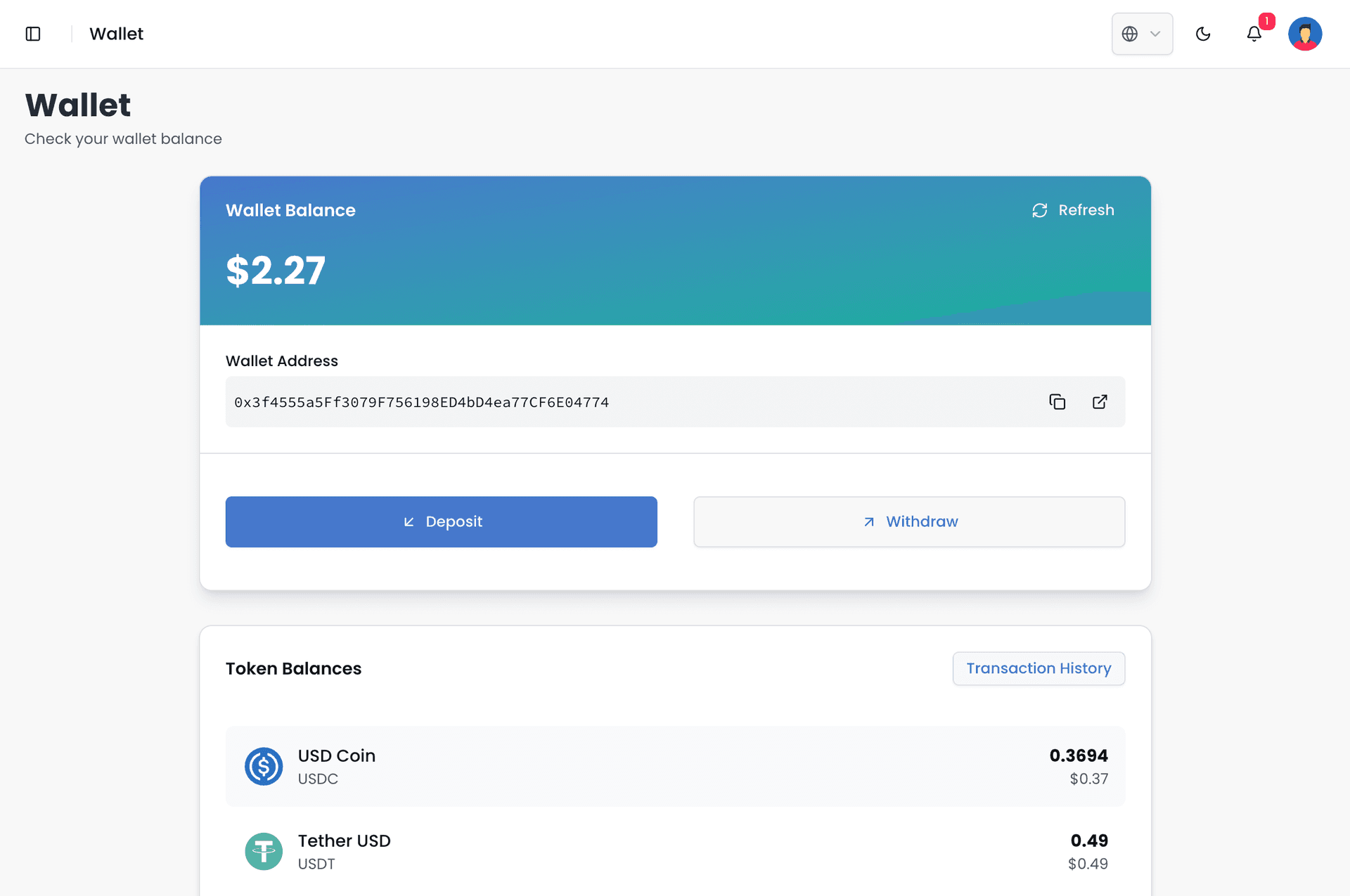
This option provides users with access to their personalized digital wallet, which is automatically created during the account creation process. This wallet serves as the central hub for all financial operations within the pZipper ecosystem. Users can utilize it to deposit funds for conducting transactions, track the movement of their funds and view their transaction history, as well as withdraw funds when needed. The wallet is an essential tool for managing and monitoring financial activity within the platform.
Onramp (Deposit)
As the name suggests, the Onramp workflow refers to the various methods through which a pZipper user can add funds to their pZipper wallet. This section outlines the available options for converting fiat currencies into USDC, a USD-pegged stablecoin used within the pZipper ecosystem. Depending on the chosen method, users may be required to complete additional verification steps. These verification processes, mandated by law, are in place to enhance the safety and security of each transaction on the platform, ensuring compliance and protecting both users and the ecosystem.
Venmo
For U.S. users, the recommended method to deposit funds into pZipper is through Venmo—a trusted and widely used payment service owned by PayPal. The process is simple and secure:
Users start by selecting the exact amount they wish to deposit into their pZipper wallets.
A unique QR code is then generated, which can be scanned using the Venmo app.
Within the Venmo app, users purchase PayPal’s stablecoin (PYUSD).
After completing the purchase, users send the correct amount of PYUSD to pZipper by scanning the previously generated QR code.
This method ensures a smooth transfer of funds using a familiar platform. For a detailed walkthrough of the process, including video and image guides, please visit our FAQ section here.
Coinbase API
Users can fund their pZipper wallet using Coinbase’s official deposit API. Those with a Coinbase account will have access to a wider range of on-ramping options. However, users without a Coinbase account can still add up to $500 worth of crypto using a debit card or Apple Pay (linked to a debit card). Please click here for more detailed steps on opening and operating an account with Coinbase.
Web3 Wallet
Users can also deposit funds into their pZipper wallet using external crypto wallets. The transfer process has been simplified and is chain-agnostic, allowing users to move tokens into their pZipper wallet without needing to worry about which blockchain network they are using.
Offramp (Withdrawal)
The Offramp workflows detail the various methods by which a pZipper user can withdraw crypto funds from their pZipper wallet and convert them into fiat currency for deposit into their external personal accounts. As with the Onramp process, certain withdrawal methods may require users to complete additional verification steps. These verifications are legally mandated to ensure the legitimacy of the funds and to maintain the overall security and compliance of the platform.
Venmo
Withdrawing funds via Venmo is the recommended method for U.S. users on pZipper. To begin, users simply click the “Withdraw” button, which opens a popup window prompting them to enter the destination digital wallet address—specifically, the native wallet address linked to their Venmo account. There are several ways to input this address:
Users can copy the address from their Venmo app and send it to an accessible location, such as emailing it to themselves, then pasting it into the withdrawal field.
Alternatively, users can use the built-in scanning feature in the withdrawal interface to scan the QR code of their Venmo wallet directly using their laptop camera.
For added convenience, a Favorites section is available where users can save commonly used wallet addresses, making future withdrawals significantly faster and easier.
Coinbase API
To withdraw funds from pZipper wallets using the Coinbase API, users must first open a Coinbase account. This requirement aligns with U.S. regulations mandating Know Your Customer (KYC) procedures to prevent money laundering. Users only need to complete the KYC process once, after which they can freely link bank accounts and other financial services to their Coinbase account for seamless withdrawals.
Web3 Wallet
Again, users are free to withdraw funds directly to their external crypto wallets. pZipper provides seamless, chain-agnostic withdrawal rails that enable quick and secure transfers of deposited funds to external wallets.
Transaction History
This section provides a detailed record of all deposits into and withdrawals from the pZipper platform. Each entry indicates whether the funds are being transferred to or from an external wallet address, or if they are associated with a specific transaction within the platform. When fund movements are the result of a particular contract, the transaction history will include the contract name and relevant details, ensuring transparency and traceability for every transaction.